> For the complete documentation index, see [llms.txt](https://docs.wehost.co.in/llms.txt). Markdown versions of documentation pages are available by appending `.md` to page URLs; this page is available as [Markdown](https://docs.wehost.co.in/cybersecurity/active-directory.md).
# Active Directory
* AD is essentially a large database accessible to all users within the domain, regardless of their privilege level
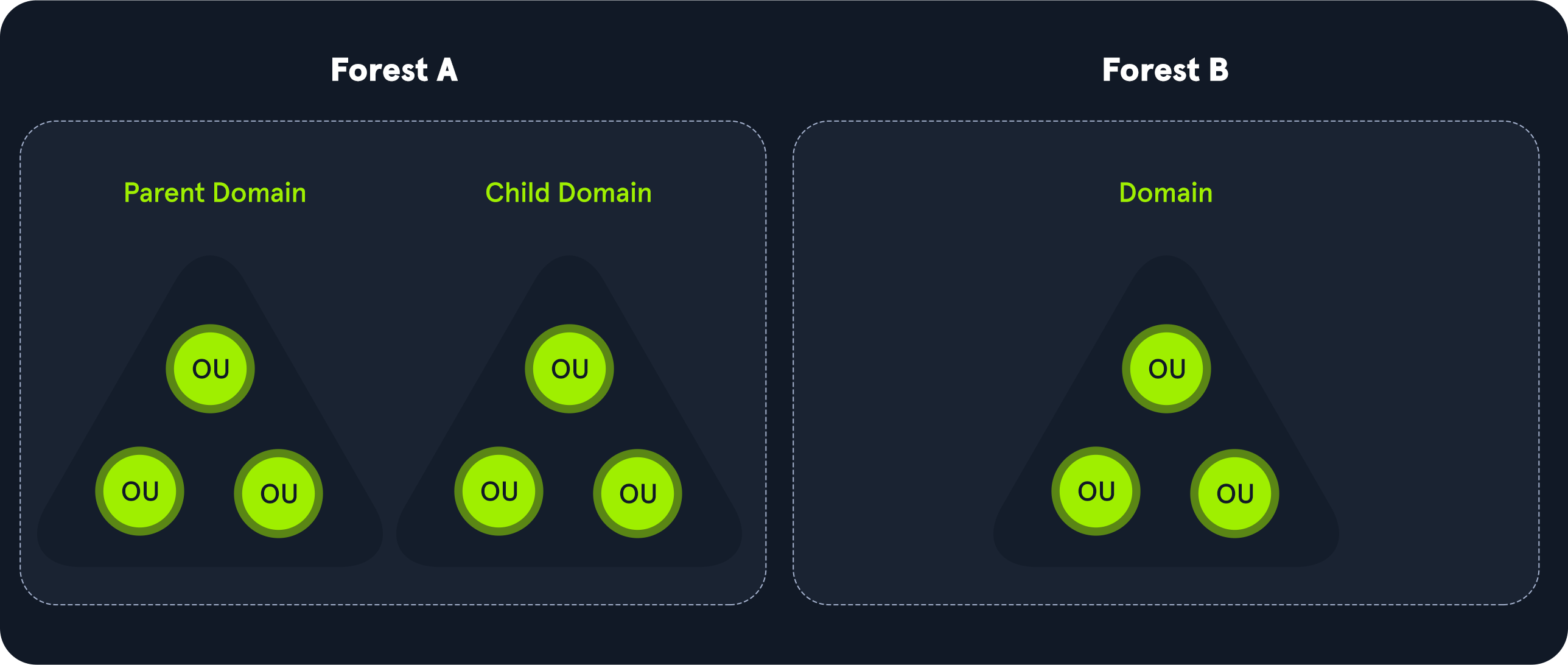
* A forest is the security boundary within which all objects are under administrative control.
* A forest may contain multiple domains,
* and a domain may include further child or sub-domains
* A domain is a structure within which contained objects (users, computers, and groups) are accessible
* It has many built-in Organizational Units (OUs), such as `Domain Controllers`, `Users`, `Computers`, and new OUs can be created as required.
* OUs may contain objects and sub-OUs, allowing for the assignment of different group policies.
At a very (simplistic) high level, an AD structure may look as follows:
```shell-session
INLANEFREIGHT.LOCAL/
├── ADMIN.INLANEFREIGHT.LOCAL
│ ├── GPOs
│ └── OU
│ └── EMPLOYEES
│ ├── COMPUTERS
│ │ └── FILE01
│ ├── GROUPS
│ │ └── HQ Staff
│ └── USERS
│ └── barbara.jones
├── CORP.INLANEFREIGHT.LOCAL
└── DEV.INLANEFREIGHT.LOCAL
```
* `INLANEFREIGHT.LOCAL` is the root domain
* contains the subdomains (either child or tree root domains)
* `ADMIN.INLANEFREIGHT.LOCAL`
* `CORP.INLANEFREIGHT.LOCAL`
* `DEV.INLANEFREIGHT.LOCAL`
* The graphic below shows two forests, `INLANEFREIGHT.LOCAL` and `FREIGHTLOGISTICS.LOCAL`
*
```
```
* The two-way arrow represents a bidirectional trust between the two forests, meaning
* that users in `INLANEFREIGHT.LOCAL` can access resources in `FREIGHTLOGISTICS.LOCAL` and vice versa.
### Active Directory Terminology
* [Active Directory Terminology](/cybersecurity/active-directory-terminology.md)
### Active Directory Objects
* [#active-directory-objects](#active-directory-objects "mention")